
Vertical management web application · Version v0.27.4
Adrenalina Marine · Marine Yard Manager
The shipyard, governed through one operating system
Adrenalina Marine connects technical activities, work orders, spare parts, documents, deadlines and financial data in a platform designed for real shipyard work. Management sees priorities, blockers, deliveries and financial impact; workers and technicians use their dedicated workspace to review and update assigned work.
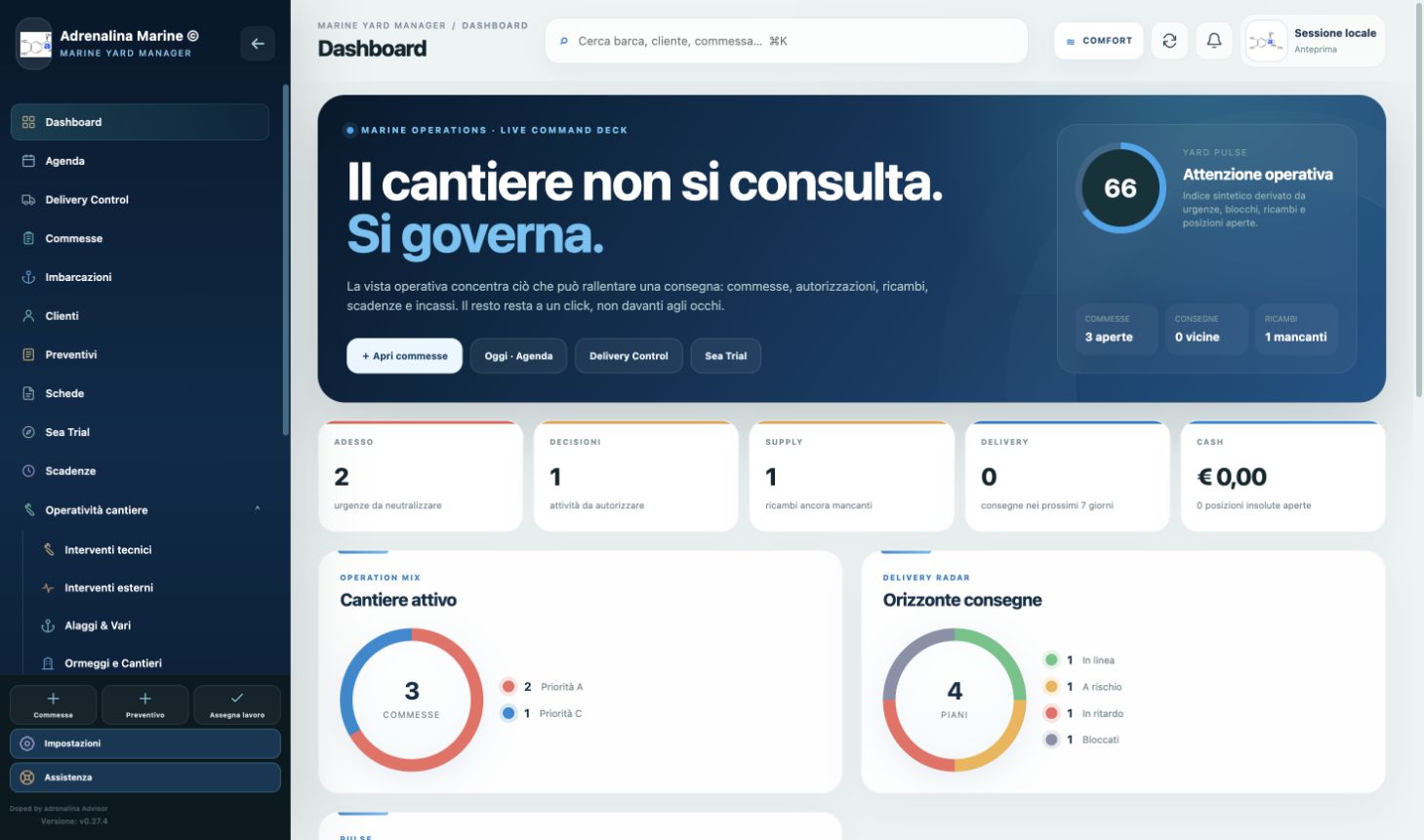
From intake to delivery
Field work and its financial impact remain in the same context.
A marine work order involves people, spare parts, suppliers, documents, approvals, costs, collections and a delivery date. Adrenalina Marine organises these around the client, vessel and work order.
Operational control: activities, responsibilities, progress, blockers and deadlines.
Financial control: quotes, costs, revenue, invoices, deposits, receivables and bank transactions linked to the work.
Distributed execution: administration, managers, workers and technicians operate with role-appropriate access.
Delivery Control
From the promise to delivery day.
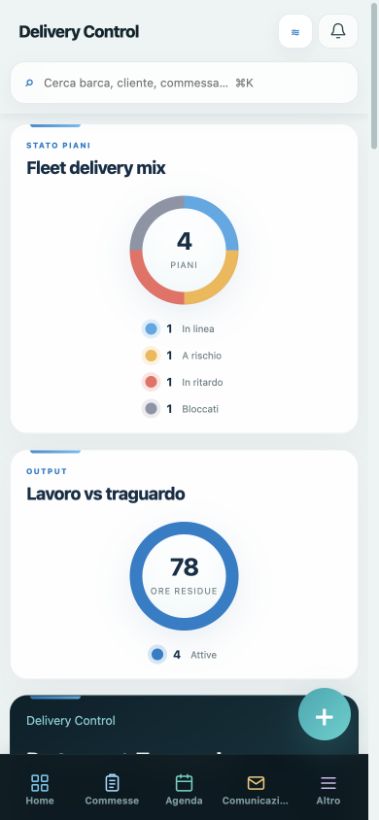
Delivery Control turns activities, resource availability, spare parts, dependencies and Sea Trial into a readable, reasoned delivery forecast. The Runway Board shows vessels that are on track, at risk, late or blocked.
Explore Delivery Control ↗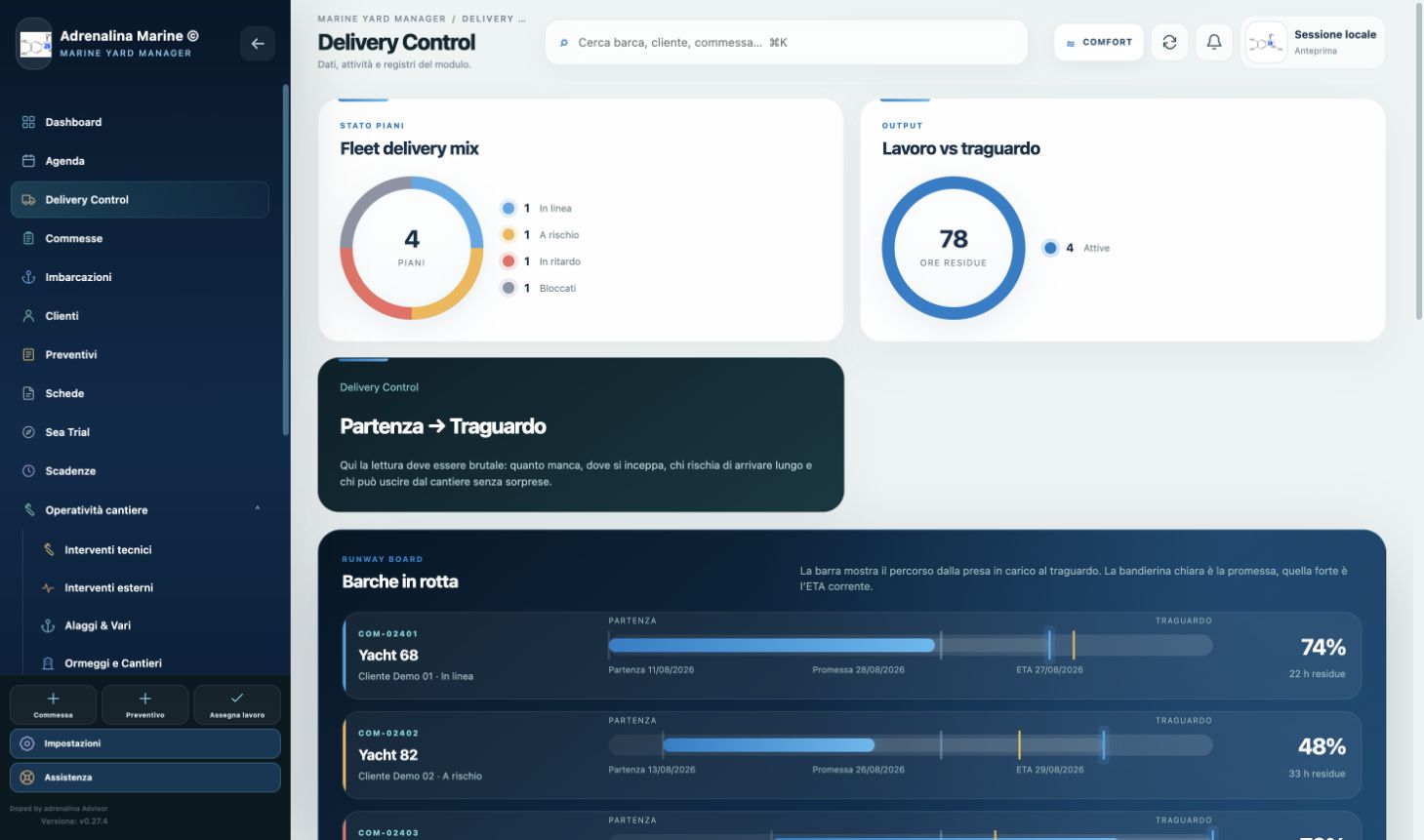
- Delivery plan for a work order or winter storage, from intake to promised delivery.
- Manager, priority, safety buffer and planned, worked and remaining hours.
- ETA, deviation in days, confidence and on-track, at-risk, late, blocked, completed or delivered states.
- Dependencies, critical path, parallel groups and serialised activities for the same resource.
- Spare-part availability, milestones, mandatory Sea Trial and documented blockers.
- Manual ETA override with a required reason, change history and final deviation.
- Recalculation when technical work, spare parts or Sea Trial status changes.
- Weekly PDF report, document archive and optional dispatch through the Communications Centre.
- Daily automation at the first authorised login; an external scheduler is required on days without logins.
Sea Trial
The sea trial becomes a traceable process.
The module guides the technician through nine operational phases, retains measurements, anomalies, photographs and documents, and generates the final report linked to the work order.
Explore Sea Trial ↗- 1Preliminary checks
- 2Engine start
- 3Leaving port
- 4Navigation
- 5Manoeuvres
- 6Maximum RPM
- 7Return
- 8Summary
- 9Final outcome
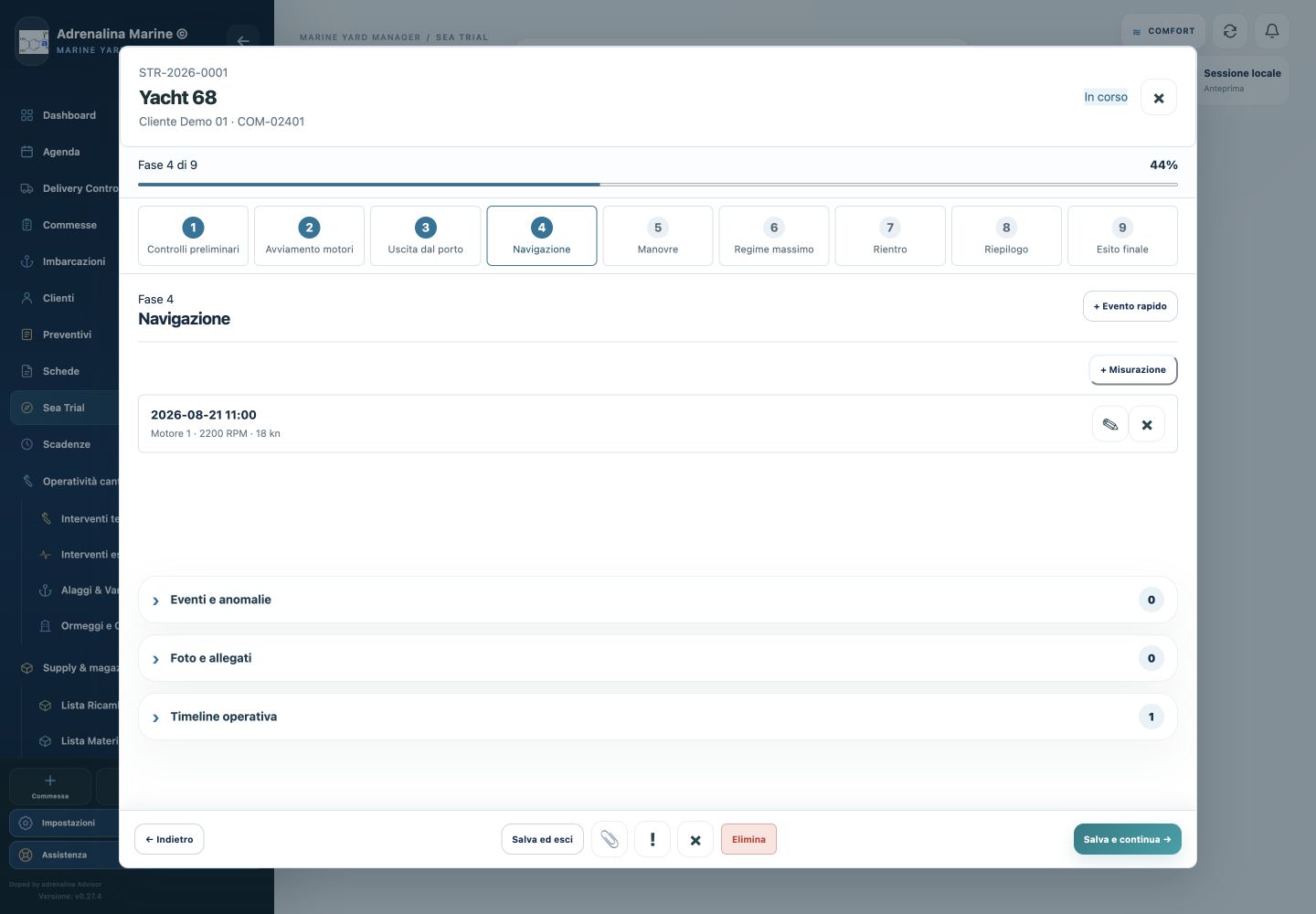
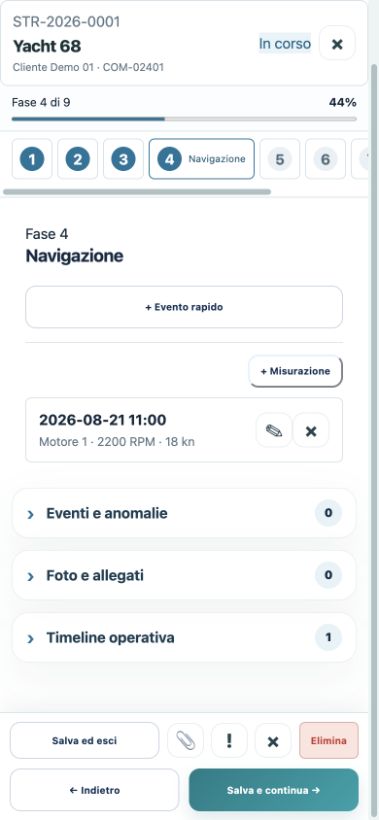
- Progressive STR-YEAR-NNNN code linked to the client, vessel, work order and one responsible technician.
- Nine guided phases with progressive saving while moving forward, returning or closing.
- Phase checklists and notes; repeatable measurements including RPM and speed.
- Events and anomalies tied to date and phase, with photographs, documents and an operational timeline.
- Concurrency control against overwrites.
- Draft, in progress, completed and cancelled states; passed, passed with observations, repeat required and failed outcomes.
- Final PDF generation and archiving, usable on desktop, tablet and smartphone.
Operational workspace
Each technician sees their own work.
Workers and technicians sign in with personal credentials to a simpler view than the administrative interface, limited to active work orders and the functions required to carry out and report work.
Roles are superadmin, admin, office and operator. Each section can be set to edit, read only or no access; core controls are also enforced server-side.
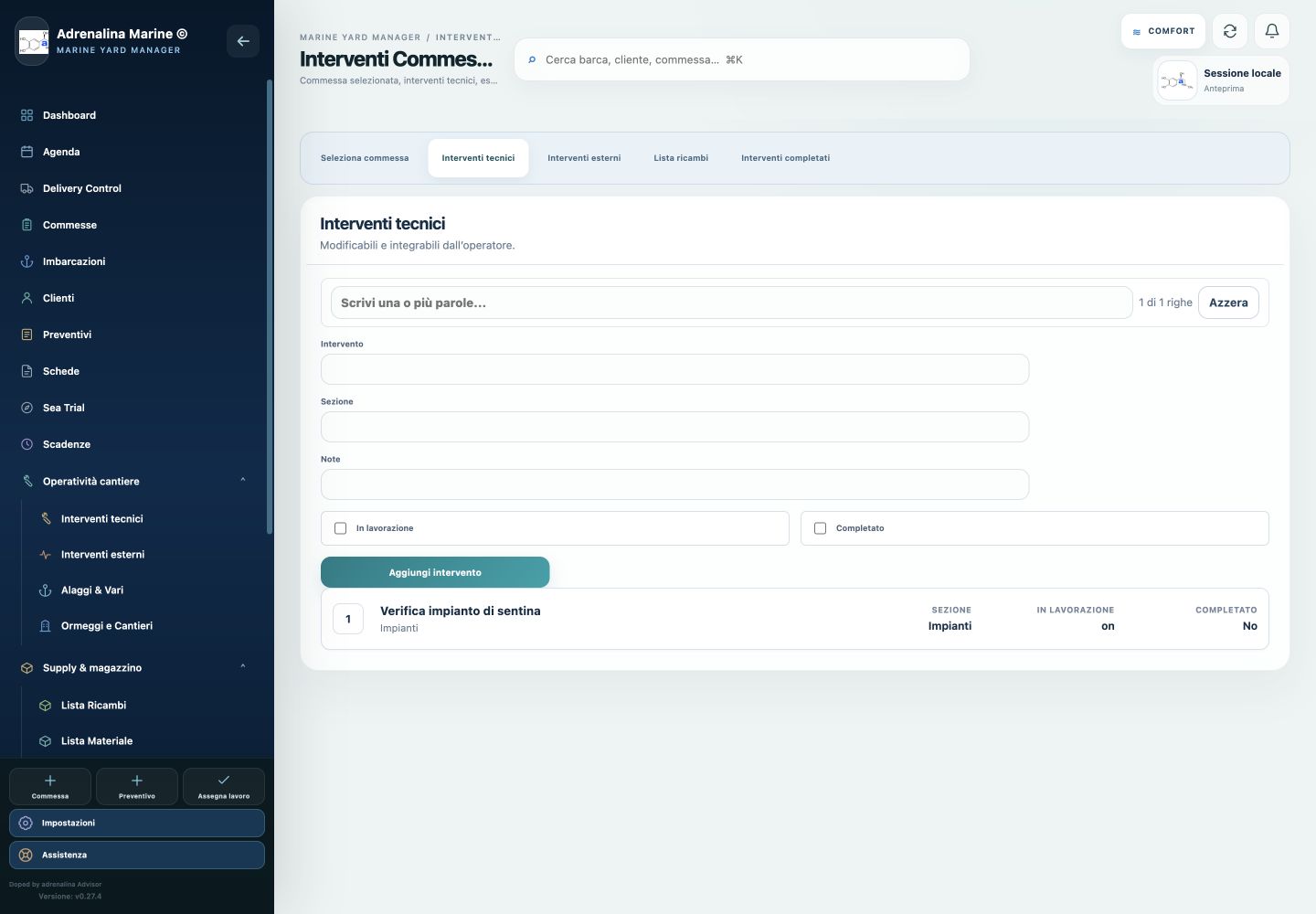
- Select an active work order by yard or model and client; review vessel, registration, owner and state.
- View and update assigned work; add activities with section, notes, in-progress and completed states.
- Review external work, update spare parts and consult a separate history of completed work.
- Operator Agenda with date, deadline, client, work order, notes and completion; personal notes remain visible only to the operator.
- Sea Trial access when permitted and responsive use on smartphone and tablet.
Technical management
Client, vessel and work order form the core.
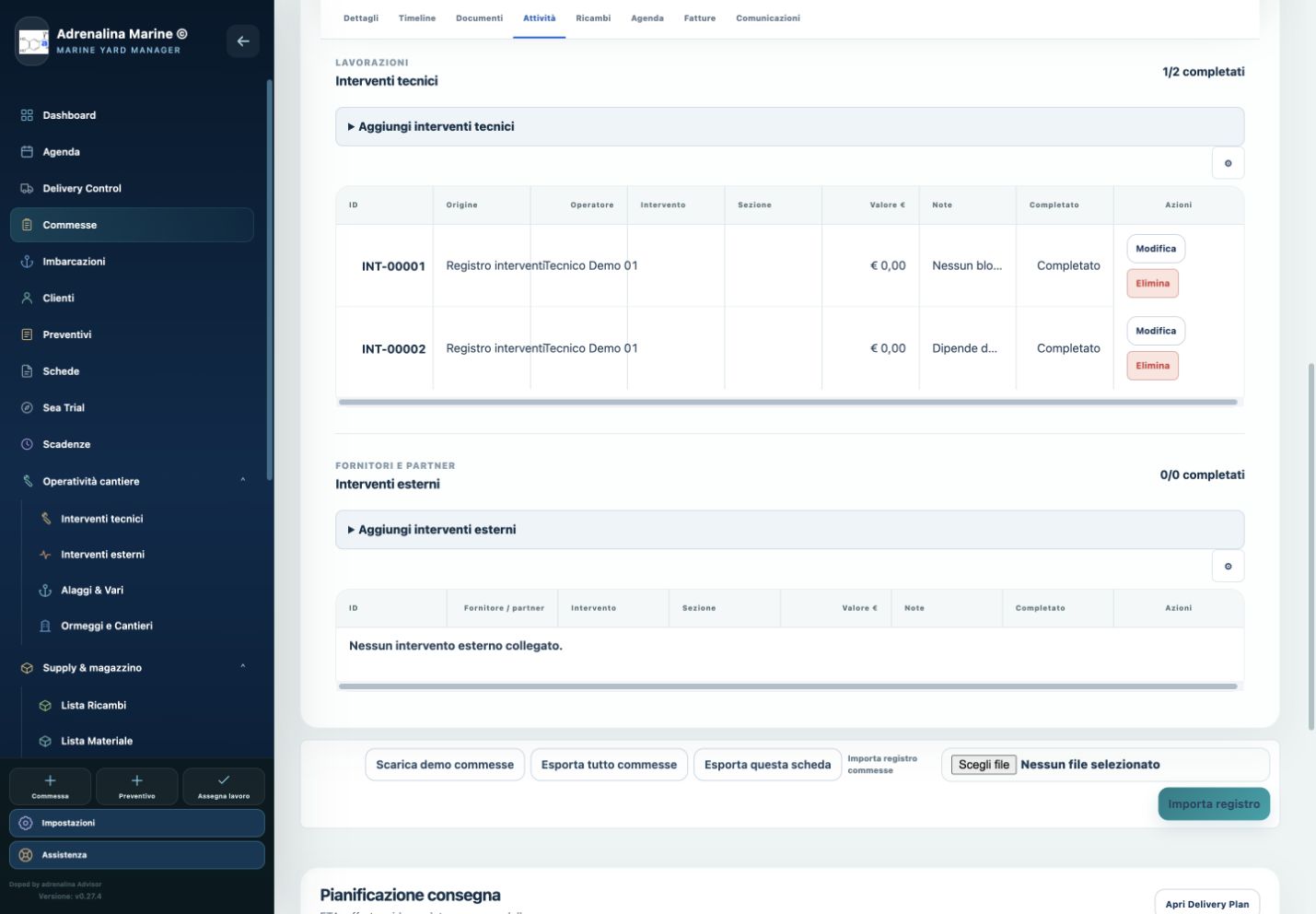
The work-order record brings together technical information, internal and external activities, spare parts, documents, agenda, invoices, communications, Delivery Plan and Sea Trial.
Complete map · v0.27.4
Technical, operational, administrative, economic and financial functions.
Open each area to review the documented capabilities in the current version.
01Technical and operational management
+
- Client records with tax and contact data; vessels with technical specifications, engines, engine hours, deadlines, berth and documents.
- Work orders with department, manager, operators, priority, status, delivery, hours, budget, costs, extras and critical issues.
- Timeline; internal work with operator, date, hours, type, section, value, notes and completion; external work assigned to suppliers or partners.
- One Activities tab for technical and external work, retained history, quick entry with date and hours, and progress counts across historical and current records.
- Spare parts by vessel and work order, materials, stock, yard goods, haul-outs, other activities, operational calendar, berths, areas and yards.
- Winter-storage and extraordinary-work forms, OTP acceptance for storage, technical closure and financial valuation.
- General schedule with optional operator assignment and responsive registers with expandable rows.
02Quotes, costs, revenue and margins
+
- Quotes linked to client and vessel, with line items, VAT, discounts, notes, terms, price list and configurable print template.
- Client acceptance link, OTP confirmation, accepted-version audit trail, PDF receipt and work-order creation from an accepted quote.
- Work-order budget and current cost, approved and pending extras, and valuation of internal work, external work and spare parts.
- Invoiced value, estimated amount remaining to invoice and margin indicators in the work order.
03Electronic invoice XML
+
- Import of sales and purchase invoice XML, with IN/OUT direction determined from the company VAT number.
- Correct reading of individual names, priority for supplier item codes, list price, discount, net amount and original precision.
- Stock updated at net cost and consolidated by supplier; duplicate prevention by hash, normalised fiscal key and concurrent lock.
- Manual links to client, supplier, partner, vessel and work order.
- Imports do not automatically create records or link invoices to vessels or work orders when the source data is not reliable.
04Banking, deadlines, receivables and staff
+
- Bank transactions with create, edit, search, monthly and annual analysis, and XLSX, XLS and CSV import/export.
- Links to client, supplier, partner and work order; deadlines by type and state, uniquely linked to a transaction.
- Monthly dashboard and alerts for today and tomorrow; open, chased or settled receivables and the difference between quote and deposits.
- Team, roles, departments, attendance, absence, clock-in, clock-out, breaks and hours; monthly summary and payroll data.
- Bank recognition of payroll payments, paid-state synchronisation and monthly landscape PDF.
05Documents and communications
+
- Multiple PDF and image uploads, entity links, preview, download, notes and classification.
- IMAP/SMTP email with folders, search, reply, reply all, forwarding, attachments, signature and deduplication.
- Communications linked to entities and the work-order timeline; Sea Trial and Delivery reports archived.
- Backups and audit logs.
06Interface and security
+
- Command Deck focused on priorities, risk, supply, delivery and cash; global search with Cmd/Ctrl + K and /.
- Compact sidebar, functional groups and persistent Comfort, Compact and Ultra density settings.
- Responsive layout, mobile header, bottom navigation, module drawer and expandable vertical registers without page overflow.
- Authentication and logout, section-level roles and permissions, server-side checks, CSRF protection, protected cookies and login rate limiting.
- Upload allowlist, operational and access audits, and concurrency controls in critical processes.
Owner Area
Dedicated, controlled access that is not yet operational externally.
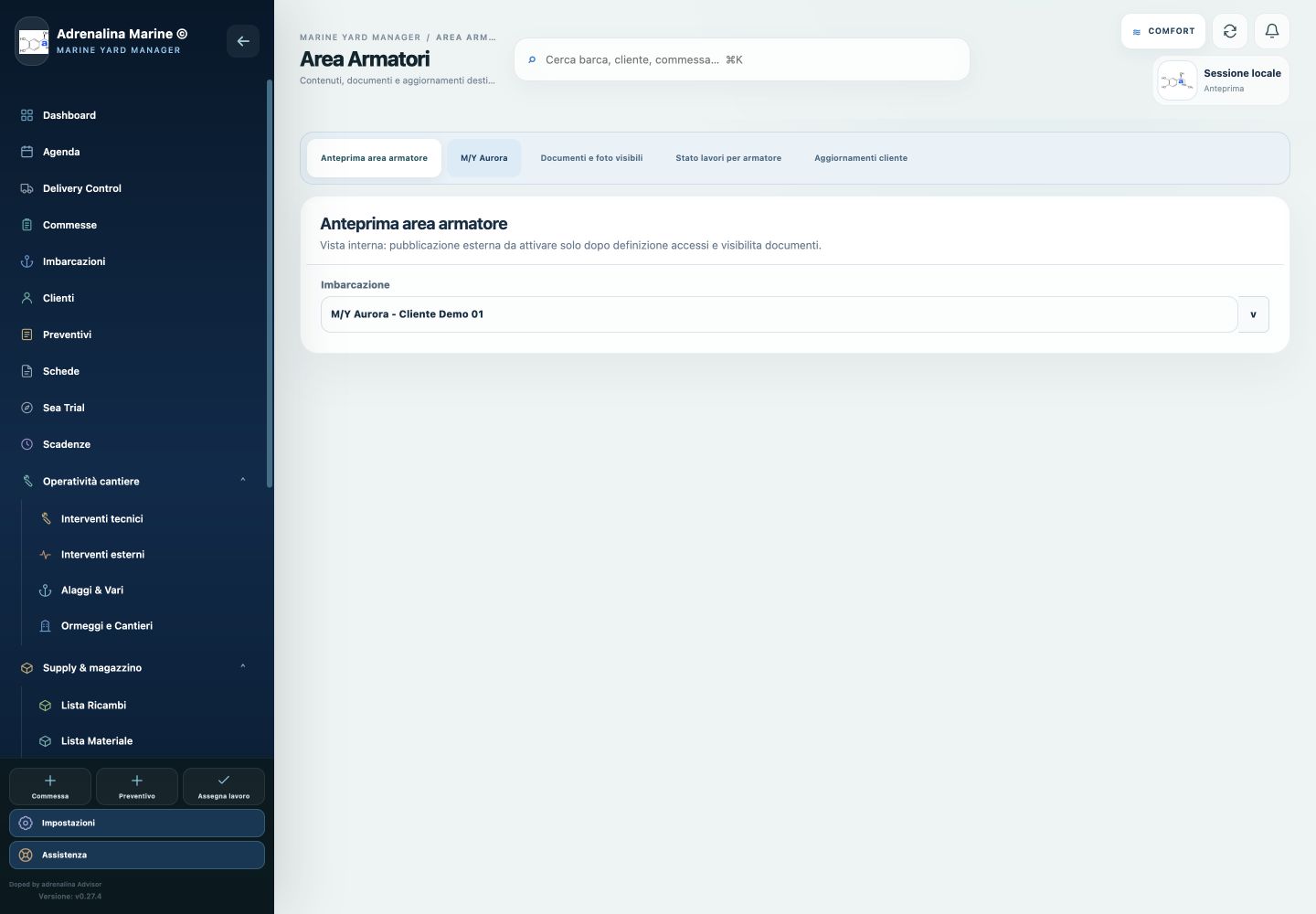
Version v0.27.4 contains an internal preview only. External access, owner notifications and owner reports are not active features.
Planned scope
The area may allow owners to review a concise work status, authorised documents and photographs, receive updates and notifications, and send reports or messages to the yard. Owner-visible content and internal yard data will remain separated; access and visibility rules must be defined before publication.
Complementary modules
Extensions around the operational core.
- Sales
- Haul-outs and other activities
- Berths and spaces
- Prints
- Concierge
- Support
- Utilities and beta modules
A vertical operating system, not a generic tool adapted to marine work
Assess the application against your yard process.
Adrenalina Marine was created to read workshop, dockside and administrative work together. Configuration must be assessed against the organisation’s actual processes, roles and responsibilities.
Request a presentation